Nano Banana is Google’s breakout image model — the one that went viral for editing photos through conversation rather than layers and masks. Ask it to put your subject in Paris, restyle a portrait as a figurine, or fix the lighting, and it does so while famously keeping the person’s face consistent. On Flux 3 AI, it is the family’s high-speed tier.
The platform exposes both of its jobs: generate a brand-new image from text, or upload one or more input images and direct edits in plain language. Because Flux 3 AI supports reference inputs on image models, you can also blend subjects and styles from multiple uploads into a single coherent output.
Speed is what sets this tier apart — iterations return quickly, so treat it as your ideation engine. When a concept clicks, the same prompt runs on Nano Banana 2 or Nano Banana Pro for a more refined finish, giving you a draft-to-final pipeline inside one model family.
See what's possible on Flux 3 AI
Sample generations from the platform — write your own prompt to see what Nano Banana does with it.
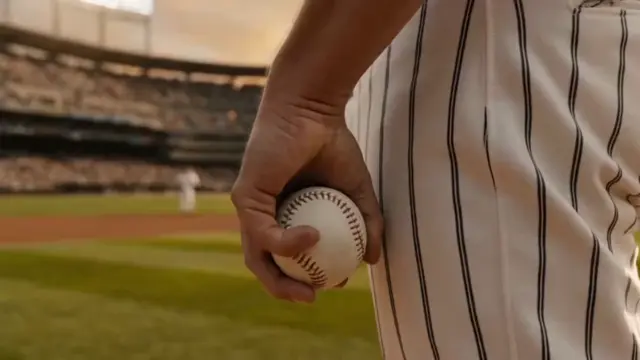

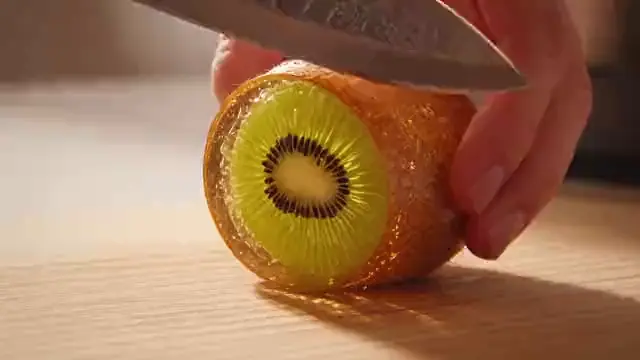
What makes Nano Banana stand out
High-speed generation
The quickest Nano Banana tier — built for rapid-fire iteration when you’re hunting for the right concept.
Conversational editing
No masks or layers: type “remove the crowd” or “make it golden hour” and the edit lands where it should.
Faces stay put
Nano Banana’s claim to fame — a subject remains recognizably themselves across edits, scenes, and restyles.
Multi-image input
Combine several uploads — a person, a product, a style reference — into one composed, coherent image.
Trend-ready restyles
The engine behind viral figurine and restyling trends; one photo becomes dozens of creative variations.
Family upgrade path
Prompts that work here run unchanged on Nano Banana 2 and Pro whenever a draft deserves a finer render.
Popular use cases
Why creators run Nano Banana on Flux 3 AI
- Rapid-fire edits are billed from a shared credit pool — you pay only for what you generate.
- Test a viral restyle idea on Nano Banana, then compare it against GPT Image side by side.
- Downloads come watermark-free, so meme-speed edits are ready to post the moment they render.
Nano Banana specs & capabilities
Output
- Generation modesText to Image · Image Editing
Nano Banana prompt examples
Copy one as a starting point, or send it straight to the Create studio.
“Turn this photo of my dog into a collectible vinyl figurine displayed on a desk shelf, glossy toy plastic texture, soft bokeh office background”
The viral figurine restyle that made Nano Banana famous.
“A barista pouring latte art in a neon-lit late-night cafe, rain-streaked window behind, teal and magenta glow, candid mid-action framing”
Fast-tier generation test with stylized lighting and frozen motion.
“The same woman from the reference photo now hiking a misty mountain trail at sunrise, backpack and windbreaker, wide golden-hour landscape composition”
Exercises character consistency when moving a subject into new scenes.
Create with Nano Banana in three steps
Describe your idea
Write a prompt — the more specific the scene, motion, and style, the better Nano Banana performs.
Pick Nano Banana & settings
Choose your aspect ratio and options. The studio shows the exact credit cost before you generate.
Generate & download
Nano Banana renders in the cloud — track progress in your library, then download watermark-free or share with a link.
Nano Banana questions, answered
What is Nano Banana?
Nano Banana is Google’s widely popular image generation and editing model, best known for natural-language photo edits and strong character consistency. On Flux 3 AI it serves as the fast tier of the Nano Banana family, running entirely in the browser.
Why is Nano Banana so popular?
It made advanced photo editing conversational: instead of learning editing software, you describe the change and the model executes it — while keeping people looking like themselves. That combination powered viral trends like AI figurines and stylized portrait makeovers.
How do I edit a photo with Nano Banana?
In the Flux 3 AI Create studio, choose Nano Banana, upload your photo as an input image, and type the edit you want in plain English. The model returns the modified image, and you can keep refining with follow-up prompts.
Does Nano Banana keep the same face across edits?
Yes — character consistency is its hallmark. Whether you change the outfit, background, art style, or scene, the subject’s identity stays recognizable, which is why it is a favorite for avatars and recurring characters.
Nano Banana vs Nano Banana Pro — which should I use?
Nano Banana is faster and cheaper per generation, making it right for iteration and playful edits. Nano Banana Pro delivers photorealistic fidelity for final assets. Many creators draft here and re-render winners on Pro.
Can I use several images in one Nano Banana prompt?
Yes. Flux 3 AI accepts multiple input images on its image models, so Nano Banana can merge a subject, a product, and a style reference into one composition — useful for mockups and mashups.
Is Nano Banana free to use?
New Flux 3 AI accounts include free credits that work on Nano Banana and every other enabled model. After the free credits, plans on the pricing page keep costs predictable, and downloads never carry a watermark.
What aspect ratios does Nano Banana support?
The Flux 3 AI Create studio provides 16:9, 9:16, 1:1, 4:3, and 3:4 presets for its image models, so Nano Banana can turn one prompt into a widescreen cover, a vertical story, or a square post without manual cropping.
Nano Banana vs GPT-4o Image — which is better for editing?
Both edit images from conversational instructions on Flux 3 AI. Nano Banana stands out for rapid iteration and its signature character consistency, while GPT-4o Image is OpenAI’s generate-and-edit model. Since both share one credit pool, running the same edit on each is the simplest comparison.