GPT Image is OpenAI’s image-generation line, famous for actually understanding what you ask for: legible text inside images, multi-step instructions followed in order, and world knowledge that keeps details plausible. Flux 3 AI hosts three generations of it, so you can match the model to the job instead of settling for whichever one an app exposes.
The lineup covers GPT Image 2, the newest release with output up to 4K; GPT Image 1.5, the mid-generation option; and GPT-4o Image, which handles both generation and image editing — upload a picture, describe the change, and it returns the revised version. All three sit in the same Create studio selector.
A workflow that plays to each model’s strengths: rough out ideas and apply edits with GPT-4o Image, then re-render the final composition on GPT Image 2 when you need maximum resolution. Every output downloads watermark-free, and one credit balance covers the whole trio.
See what's possible on Flux 3 AI
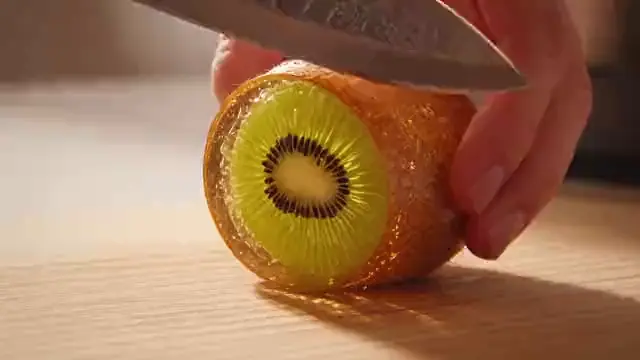
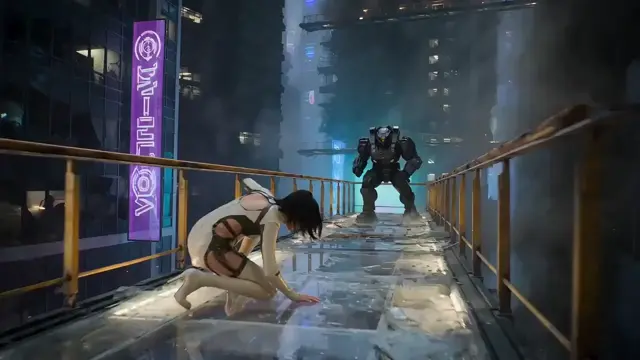
Sample generations from the platform — write your own prompt to see what GPT Image does with it.

What makes GPT Image stand out
Text that reads correctly
The GPT Image line is the reference for typography in AI images — posters, labels, and UI mockups with legible words.
GPT Image 2 at 4K
The newest generation renders up to 4K, giving OpenAI-quality instruction following at production resolution.
Editing with GPT-4o
GPT-4o Image accepts an existing image plus instructions and returns a targeted revision, not a from-scratch redo.
Instruction-first design
Complex, multi-clause prompts — object counts, spatial layout, specific styles — are where these models pull ahead.
Three tiers, one selector
Switch between GPT Image 2, 1.5, and GPT-4o Image mid-project without leaving the Create studio.
No OpenAI account needed
Generate with the GPT Image family using Flux 3 AI credits — no separate API key or subscription required.
Popular use cases
Why creators run GPT Image on Flux 3 AI
- Run GPT Image without a ChatGPT subscription — platform credits cover it alongside 41+ other models.
- Compare GPT Image 2 and Flux 2 Pro on the same prompt before committing credits to finals.
- All three GPT Image tiers draw from one credit pool, so you pay only for what you generate.
GPT Image specs & capabilities
Output
- Generation modesText to Image · Image Editing
Which GPT Image version should you use?
Every version below is selectable in the Create studio on the same credits.
GPT Image 2
The newest OpenAI generation and this page’s default. Pure text-to-image with output up to 4K, it is the tier for final renders, print work, and layout-heavy designs where resolution and instruction following both matter. It does not edit uploaded images, so draft elsewhere and re-render the winning composition here.
GPT Image 1.5
The mid-generation text-to-image option sitting between GPT-4o Image and GPT Image 2. Pick it when you want a newer render engine than GPT-4o without reaching for the 4K flagship — everyday graphics, drafts, and social assets. Like GPT Image 2 it generates from text only; switch tiers when a job needs editing.
GPT-4o Image
The generalist of the trio and the only tier that edits: upload an image, describe the change, and it returns a targeted revision rather than a from-scratch redo. Choose it for photo edits, iterative drafting, and conversational refinement, then hand the final composition to GPT Image 2 for maximum resolution.
GPT Image prompt examples
Copy one as a starting point, or send it straight to the Create studio.
“A retro travel poster for Kyoto with the headline “Kyoto in Bloom” in bold serif type, cherry blossoms framing a pagoda, flat vintage color palette, centered layout”
Shows legible headline typography inside a designed layout
“A kitchen scene with exactly three copper pots hanging left of a window, a blue ceramic bowl of lemons on the counter, soft morning light, eye-level composition”
Tests exact object counts and spatial instruction following
“Replace the plain white background of this product photo with a marble countertop, add soft window shadows from the left, keep the bottle and its label unchanged”
Demonstrates GPT-4o targeted editing on an uploaded photo
Create with GPT Image in three steps
Describe your idea
Write a prompt — the more specific the scene, motion, and style, the better GPT Image performs.
Pick GPT Image & settings
Choose your aspect ratio and options. The studio shows the exact credit cost before you generate.
Generate & download
GPT Image renders in the cloud — track progress in your library, then download watermark-free or share with a link.
GPT Image questions, answered
What is GPT Image?
GPT Image is OpenAI’s family of image-generation models. Flux 3 AI offers three of them — GPT Image 2 (up to 4K), GPT Image 1.5, and GPT-4o Image with editing support — all usable from the browser with platform credits.
Can GPT Image edit existing photos?
Yes, through GPT-4o Image, which supports both generation and editing. Upload an image, describe what should change, and the model applies the edit while keeping the rest of the picture intact.
What is the difference between GPT Image 2 and GPT-4o Image?
GPT Image 2 is the newest text-to-image release with output up to 4K, making it the pick for final renders. GPT-4o Image is the flexible generalist that also edits uploaded images. Many workflows on Flux 3 AI use both in sequence.
Is GPT Image good at rendering text inside images?
It is one of the best-known strengths of the line. Signs, headlines, buttons, and labels come out readable far more consistently than with most image models, which is why designers reach for GPT Image for layout-heavy work.
Do I need a ChatGPT subscription to use GPT Image?
Not on Flux 3 AI. The GPT Image models run on platform credits — sign up, receive free starter credits, and generate without any OpenAI account, API key, or separate subscription.
What resolution can GPT Image produce?
GPT Image 2, the top tier on Flux 3 AI, outputs up to 4K. The exact options for each model appear in the Create studio when you select it.
Are GPT Image downloads watermarked?
No — images from all three GPT Image models download clean from your Flux 3 AI library, with no visible platform watermark added.
GPT Image vs Flux — which should I use?
GPT Image leads on instruction following and in-image text; Flux models from Black Forest Labs are renowned for photorealistic quality and aesthetics. Both families share one credit balance on Flux 3 AI, so the practical answer is to run your prompt on each and compare.
How much does GPT Image cost to use on Flux 3 AI?
GPT Image runs on the platform’s credit system rather than a separate OpenAI bill. The exact credit price for each tier appears in the Create studio before you confirm a generation, and subscription plans plus credit packs are listed on the pricing page.
Can developers access GPT Image through an API?
API access is available on request for teams building on the platform — contact support through the Help Center with a short description of your project. In the Create studio, GPT Image runs with no developer setup at all.